Available
Drover for Mac — this Mac's own face of droverd, in the menu bar.
Menu bar app
Drover for Mac runs droverd for you, right in the menu bar, and pairs your iPhone to it.
Updates come from the menu: one click, and only a signed build is installed.
Download for Mac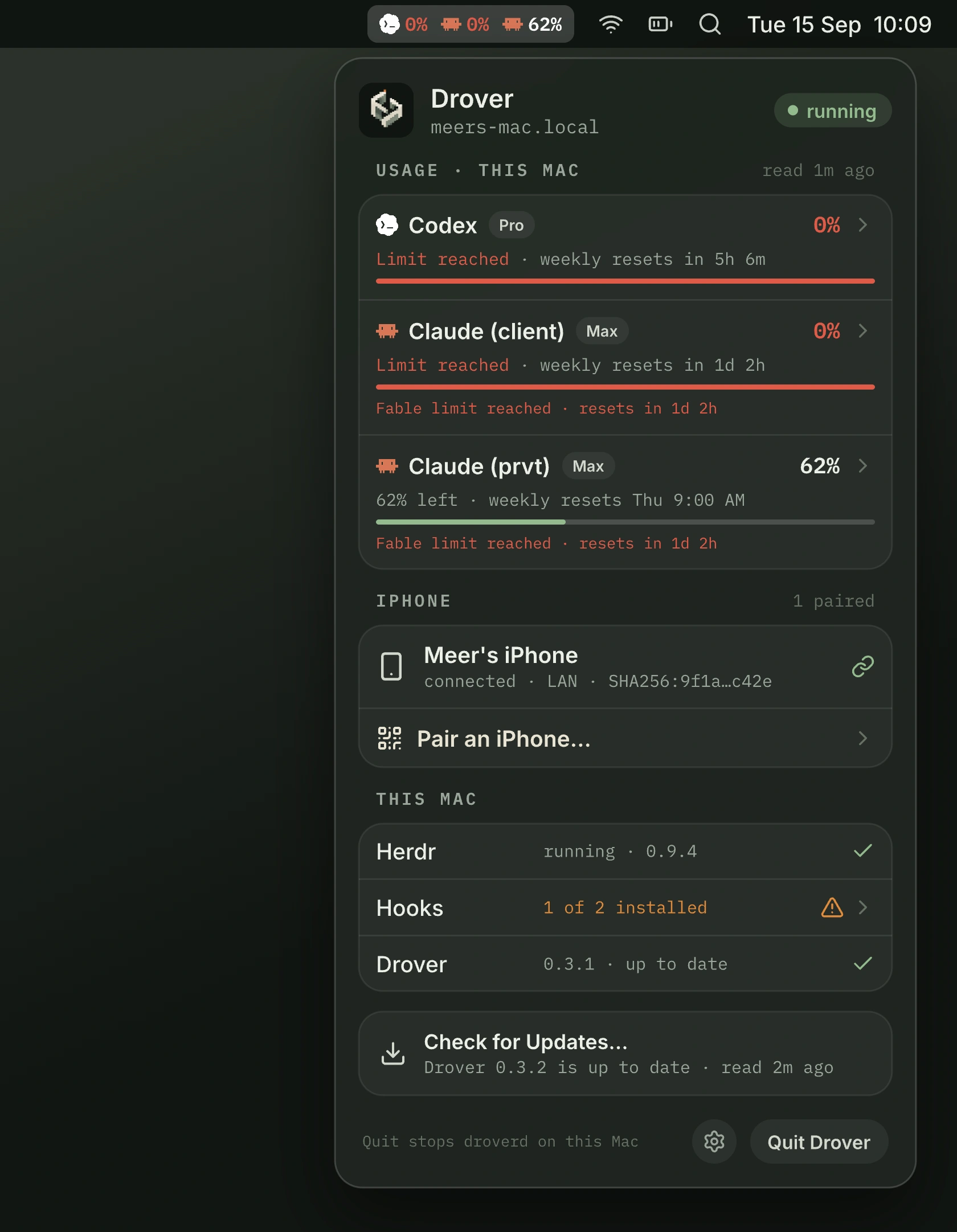
In the menu bar
The menu bar item shows the Drover mark and the percent left for each login you choose, so a limit never arrives as a surprise. Open the menu for every login on this Mac, the iPhone paired to it, and whether Herdr, hooks, and droverd are healthy.
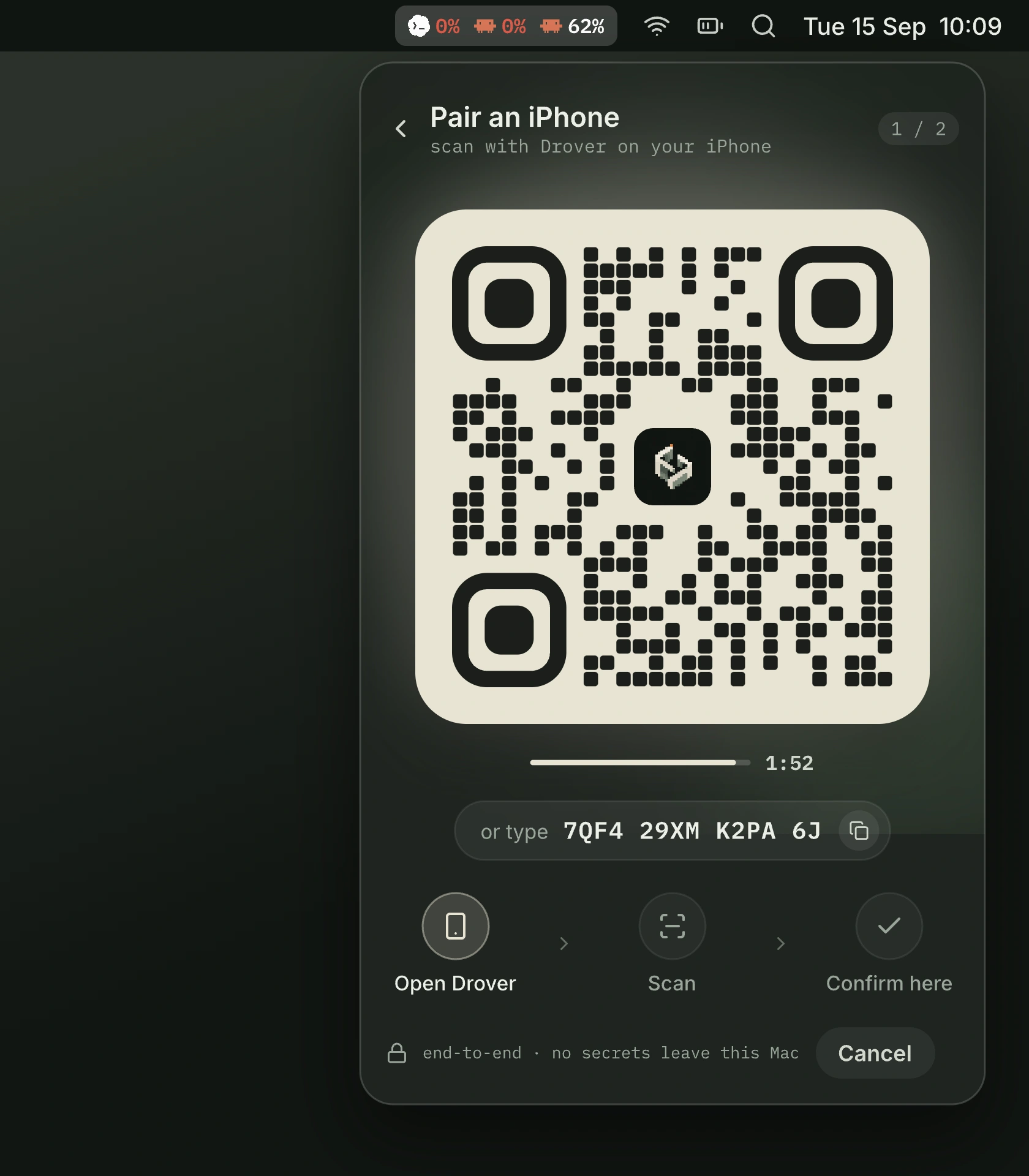
Pairing starts here too: the menu shows a QR code, your iPhone scans it, and you confirm on the Mac. No terminal involved.
Requirements
- Mac
- A Mac with Apple silicon.
- macOS
- macOS 15 or later.
- Signature
- Signed by Drover and notarized by Apple.
Install
- 1
Open the DMG
Drag Drover to Applications.
- 2
Open Drover
Launch it from Applications.
- 3
Allow in Login Items
When macOS asks, allow Drover in Login Items.
- 4
Install Herdr
From the menu, install Herdr — this runs
brew install herdr. - 5
Pair your iPhone
From the menu, pair your iPhone.