Your agents.
Within reach.

Native iPhone control for the work running on your machine.

Built for iPhone. Your Mac or Linux stays home.
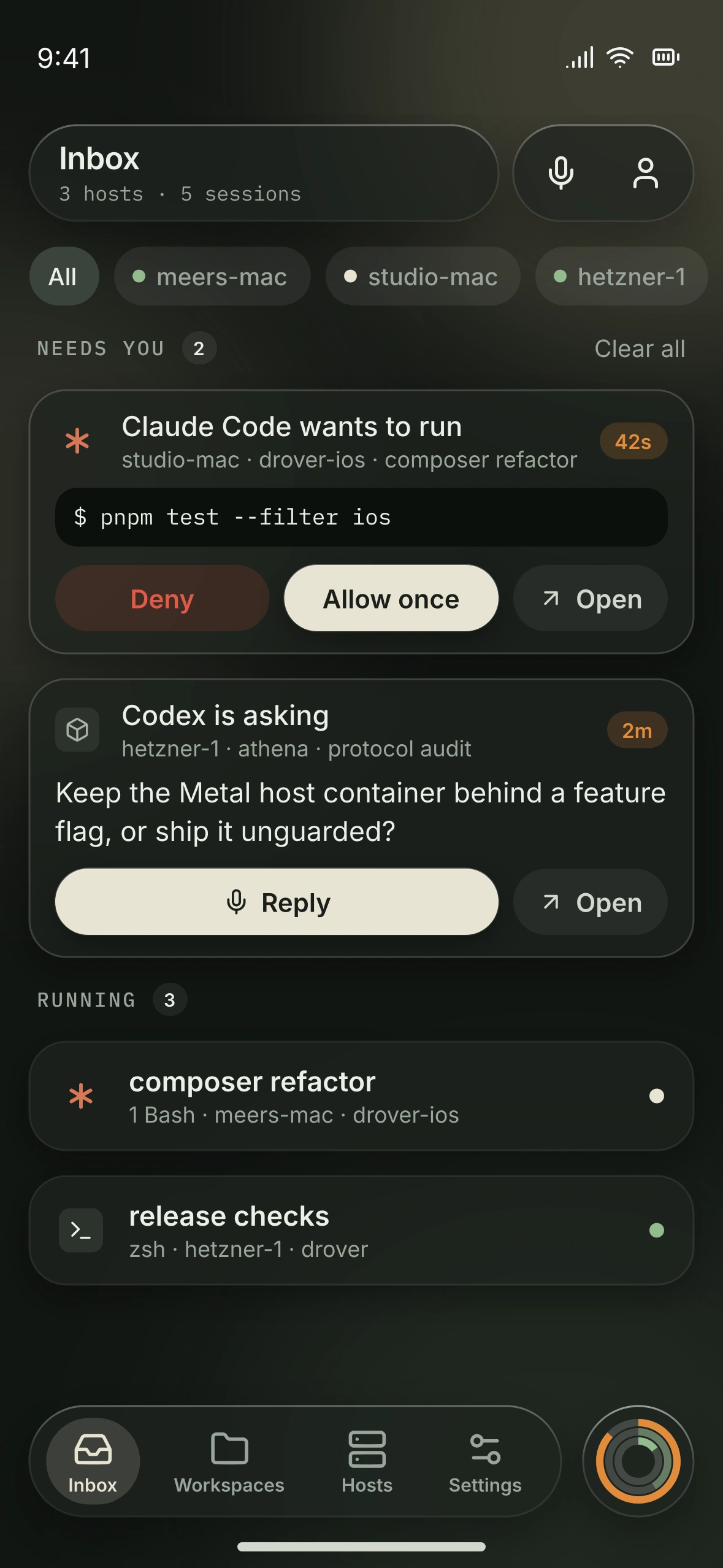
Drover Inbox interface design preview on iPhone, gathering work that needs attention

One Inbox.
Ranked by what needs you.

Inbox interface design preview: a request that needs you, an agent's question, and running sessions below
  1. What needs you comes first.

    A request that is waiting on you rises to the top, with its host, workspace, and pane named. Open takes you straight to the live pane.

  2. A question keeps its context.

    When an agent stops to ask, the card carries the question as the agent wrote it. Read it where you are, then step into the pane to answer.

  3. Everything else keeps moving.

    Running work stays below, quiet until it changes. Filter by host when one machine is the one you care about.

Same work.
Smaller distance.

A native iPhone control surface for coding agents. Enough context to stay with the work. Enough room to leave your desk.

Pick up the thread.

Your real terminal, with the context intact. Read the output, bring up the keyboard, and send the next input from your iPhone.
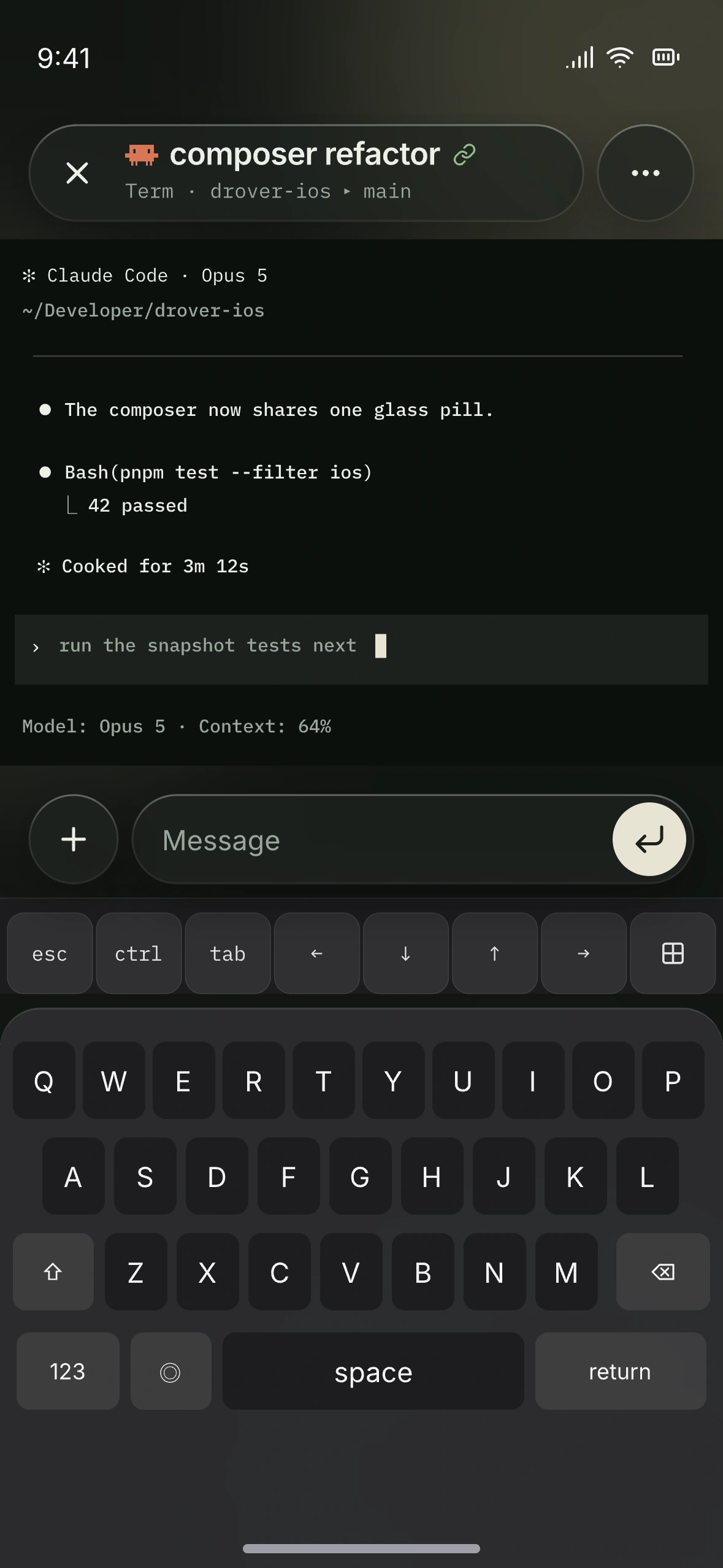
Terminal design preview: a Claude Code session with the Message composer, accessory keys, and iPhone keyboard
Terminal on iPhone

A glance when that's enough.
The terminal when it isn't.

Most of the time you only need to know whether anything needs you. Drover answers at the smallest size that works, and the full session is one tap further.

On your wrist.

Apple Watch shows usage at a glance. It displays; it never sends input to a pane.
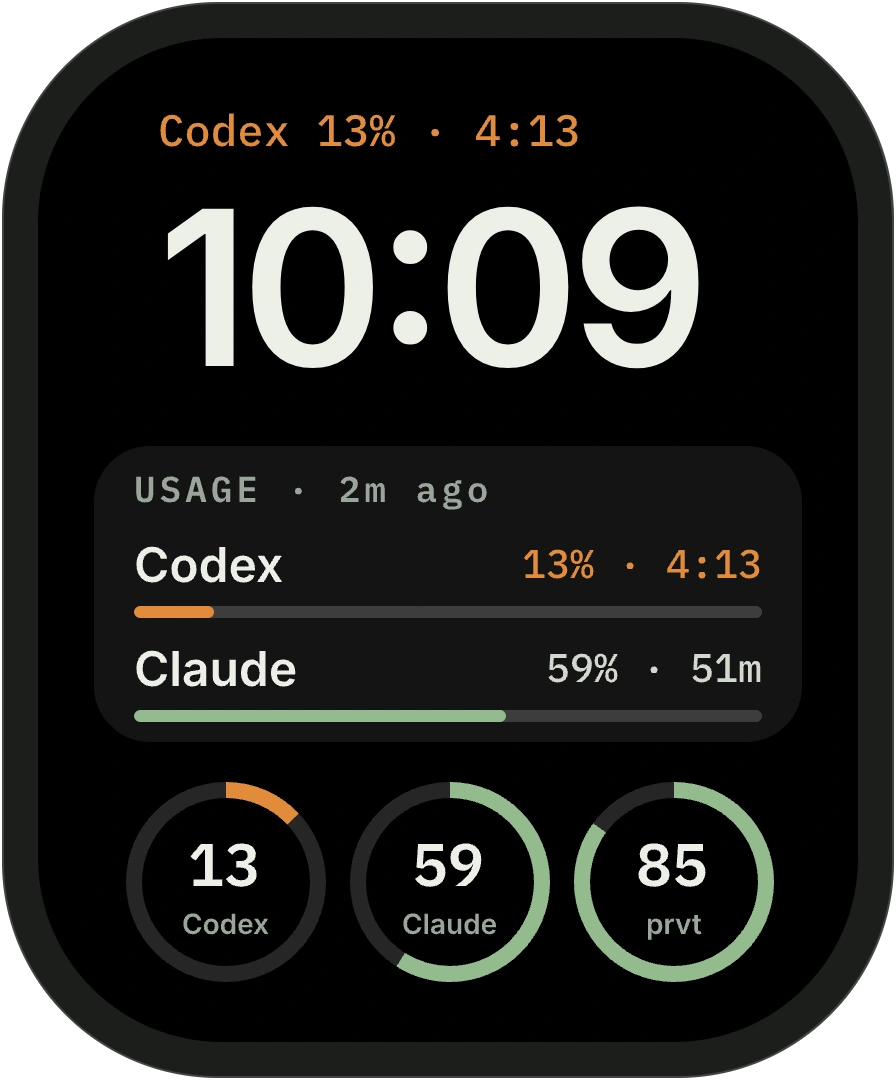
  • Apple Watch face design preview with Drover usage complications for Codex and Claude

    Complications Coming soon

    What is left and when it resets, on the watch face.
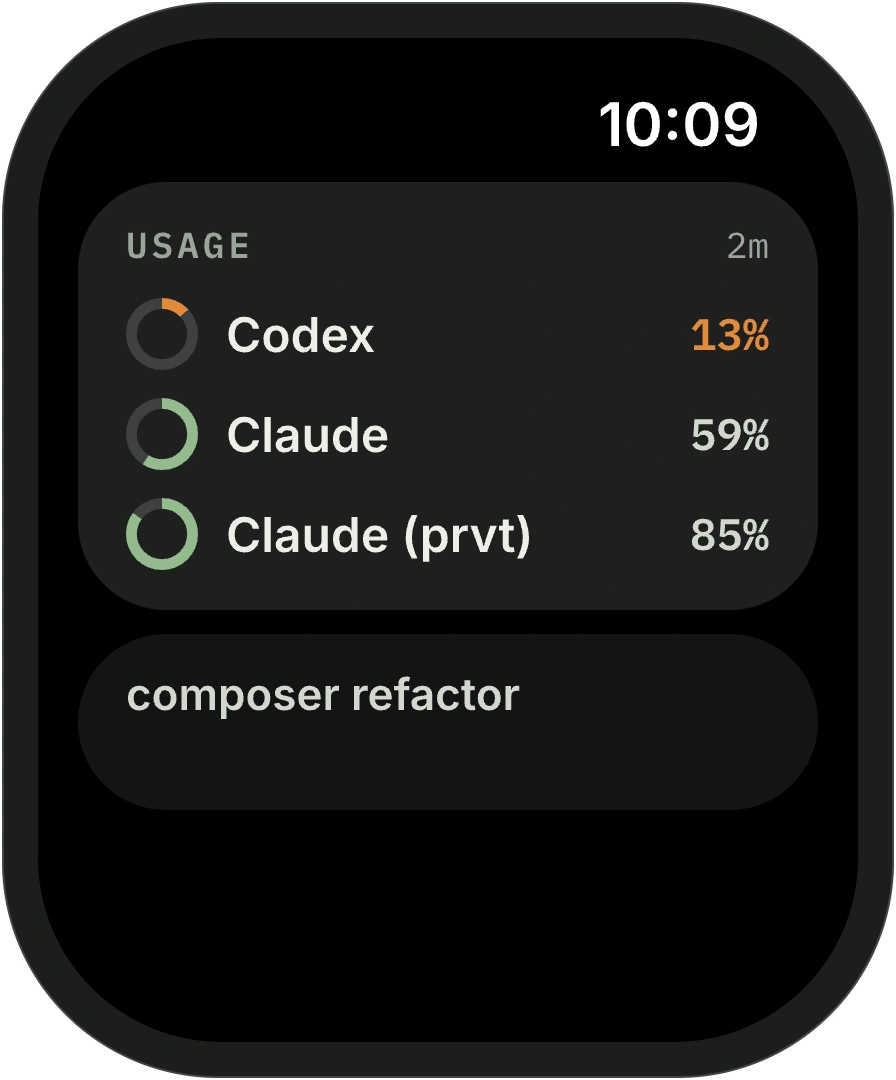
  • Apple Watch Smart Stack widget design preview listing three logins by remaining usage

    Smart Stack Coming soon

    The login closest to its limit comes first.
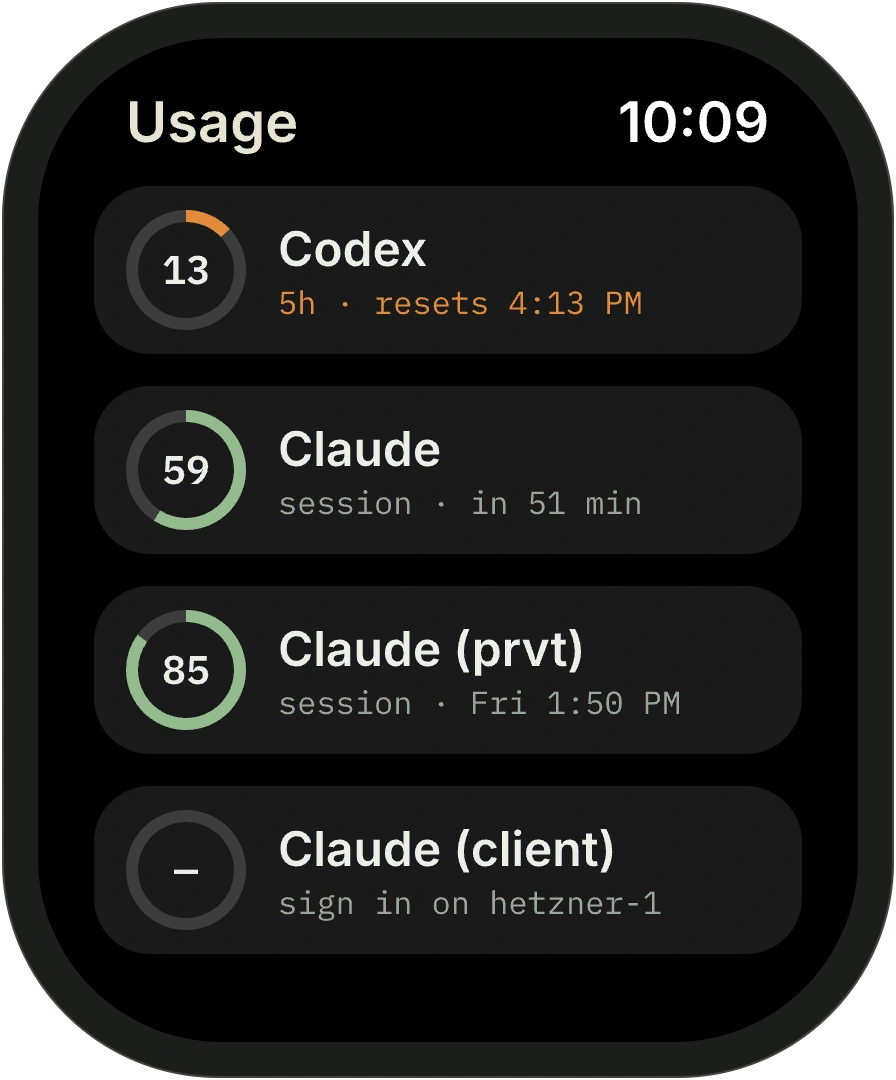
  • Apple Watch app design preview listing each login with its remaining usage

    Watch app Planned

    Every login and its limits. Display only.

On your Lock Screen.

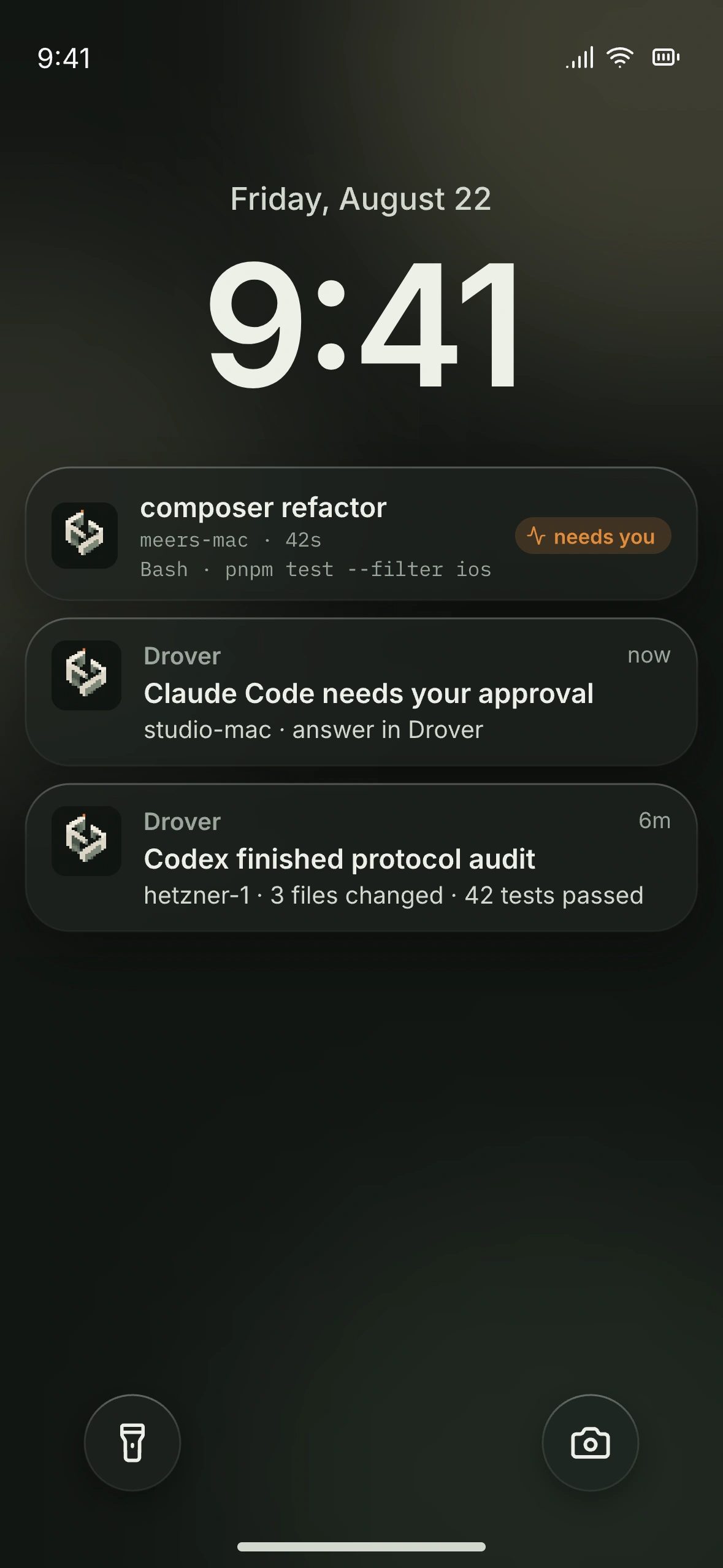
A notification tells you an agent is waiting and nothing more: no commands, no approvals from the Lock Screen.
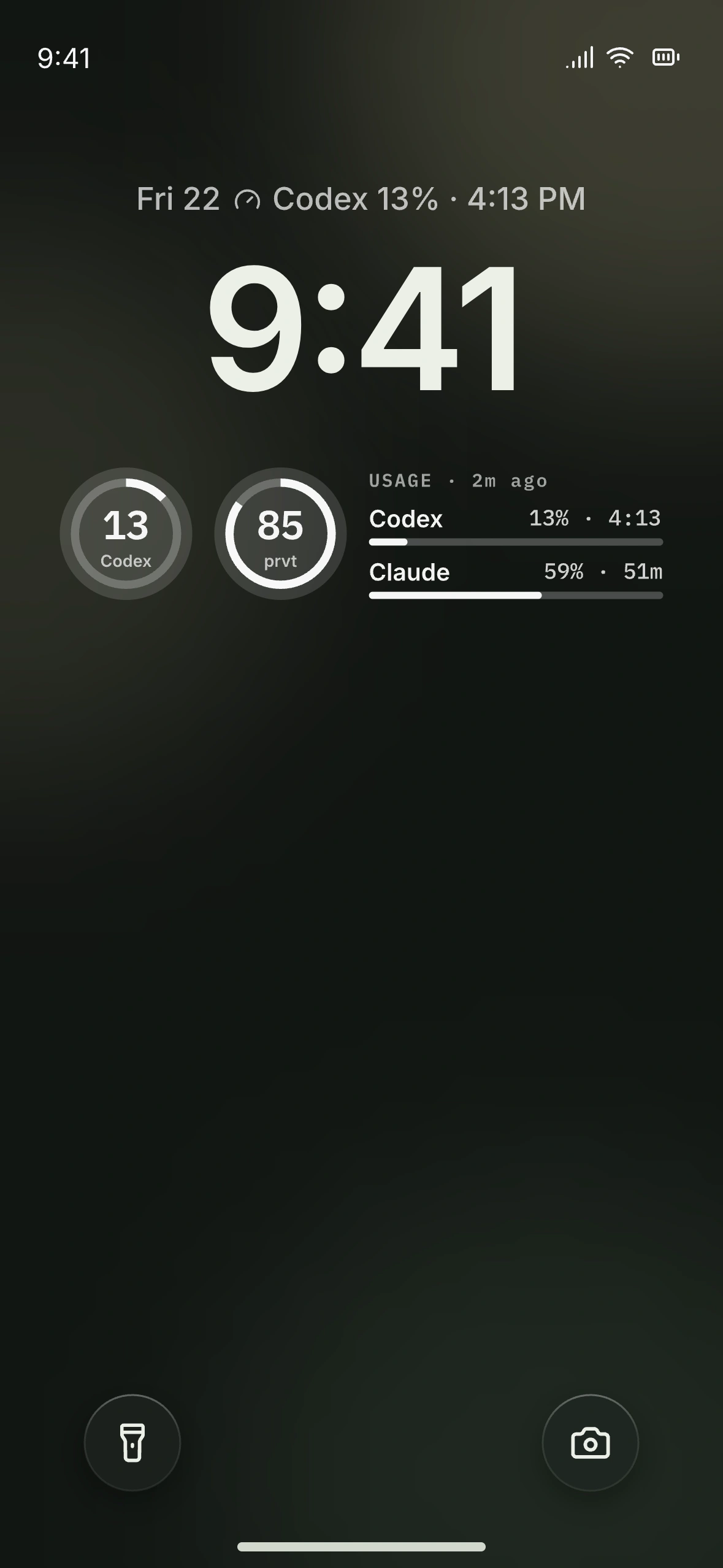
Lock Screen widgets Coming soon
Usage as last read, beside the clock.
Notifications and Live Activity Available
A notification says an agent needs you. Open is its only action.
Home Screen widgets Coming soon
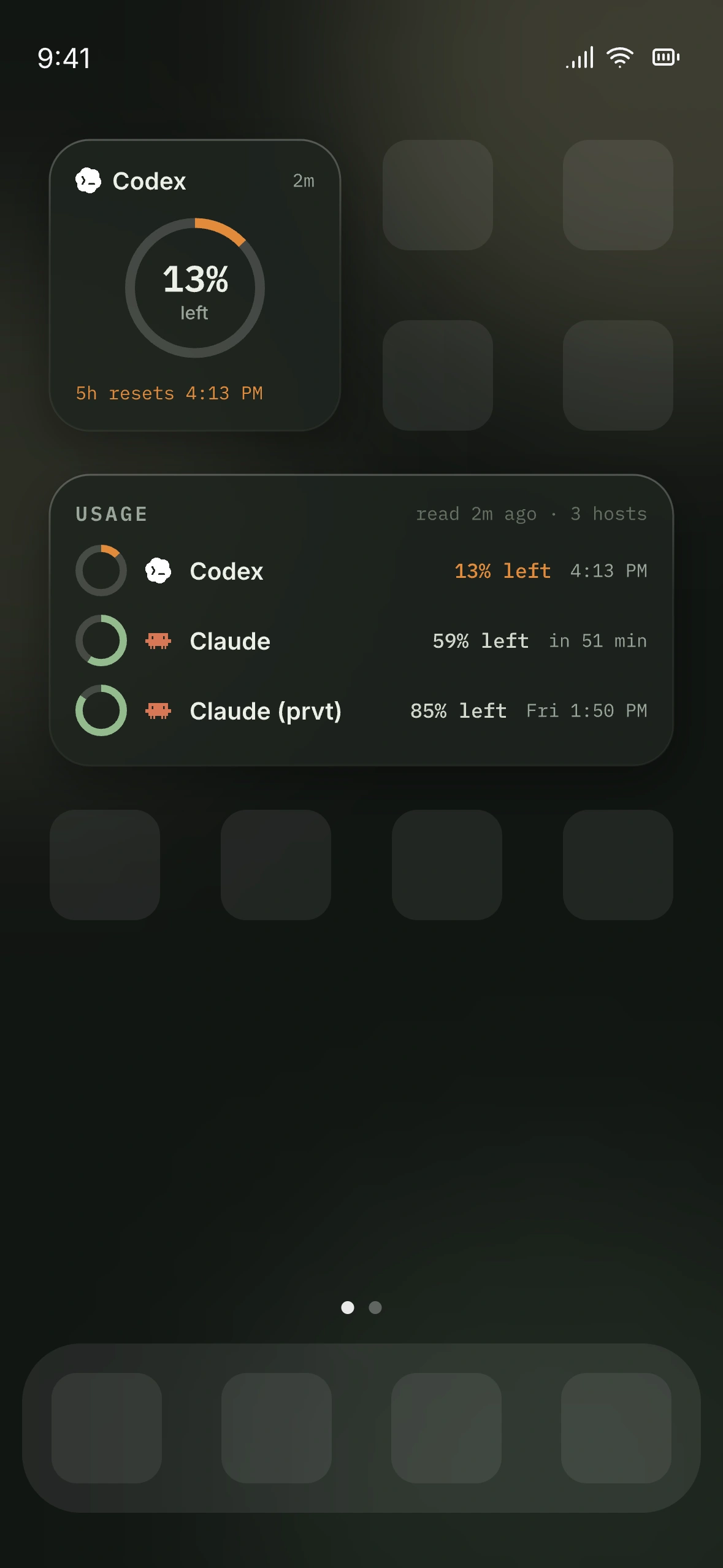
One login up close, or every login in order.
iPhone Lock Screen design preview with Drover usage widgets under the clock
iPhone Lock Screen design preview with a Drover Live Activity and two notifications
iPhone Home Screen design preview with a small and a medium Drover usage widget

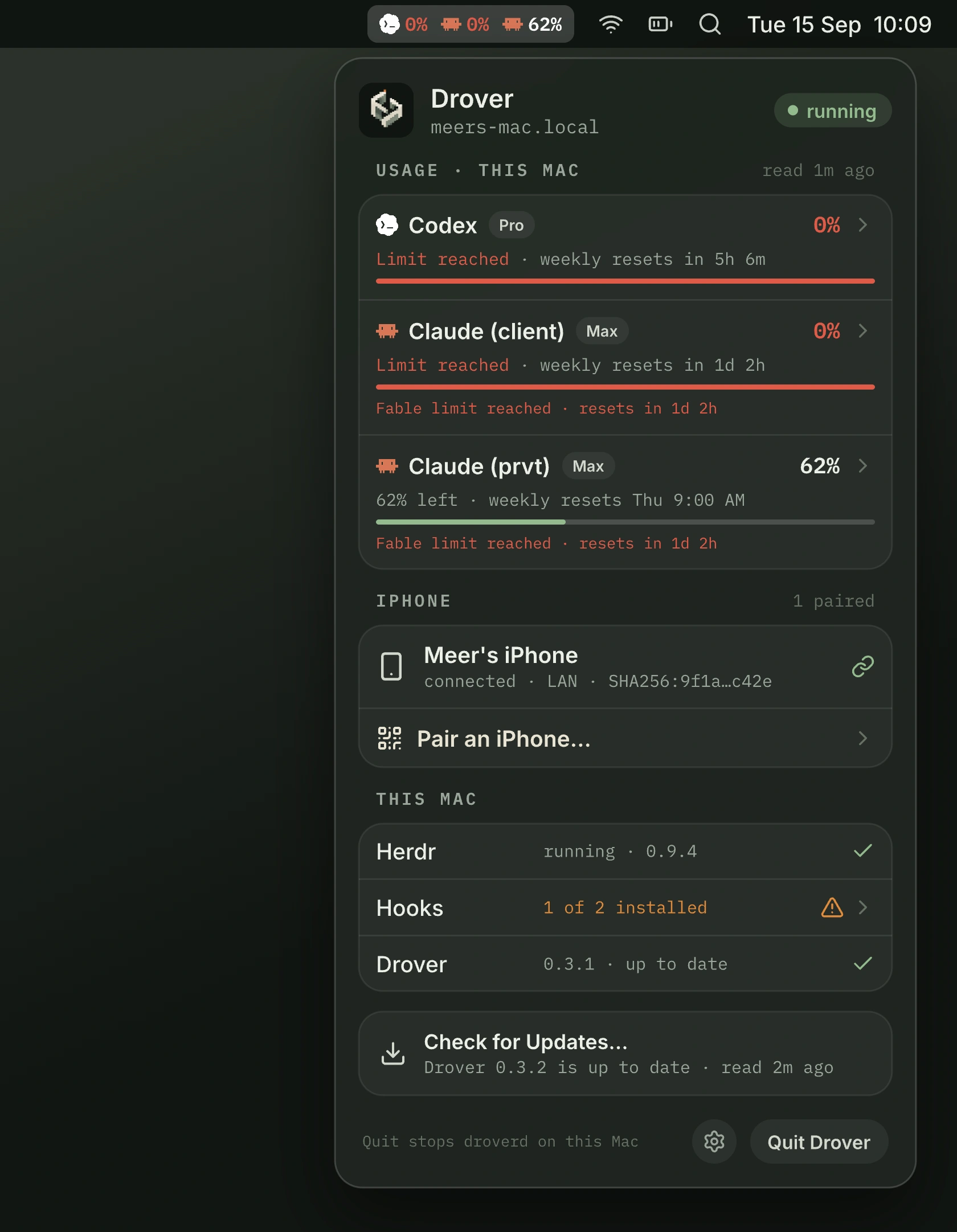
In your menu bar. Available

Drover for Mac keeps this Mac's logins, its paired iPhone, and the health of droverd one click away. Pairing is a QR code from the menu. No terminal needed.
See Drover for Mac
Drover for Mac design preview: the menu bar item shows percent left per login, and the open menu lists usage, the paired iPhone, and host health

Move the conversation.
Keep the thread.

Hit a limit on one engine? Reopen the same conversation in another harness today. Moving it to another host you own is not in the launch build.
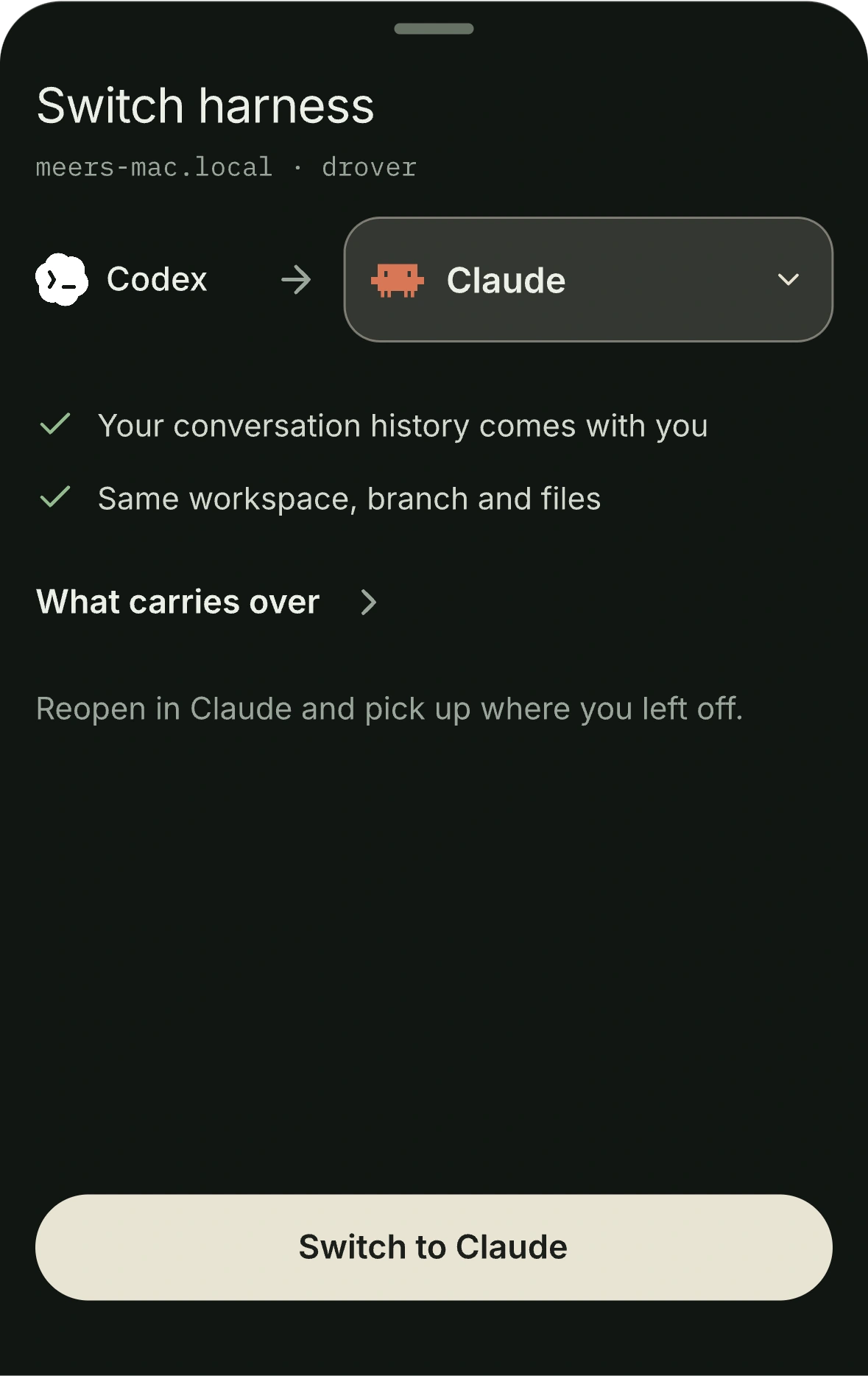
  1. Switch harness sheet design preview: Codex to Claude, conversation history and workspace carry over

    Switch harness Available

    Reopen a Codex conversation in Claude, or the other way, with its history.
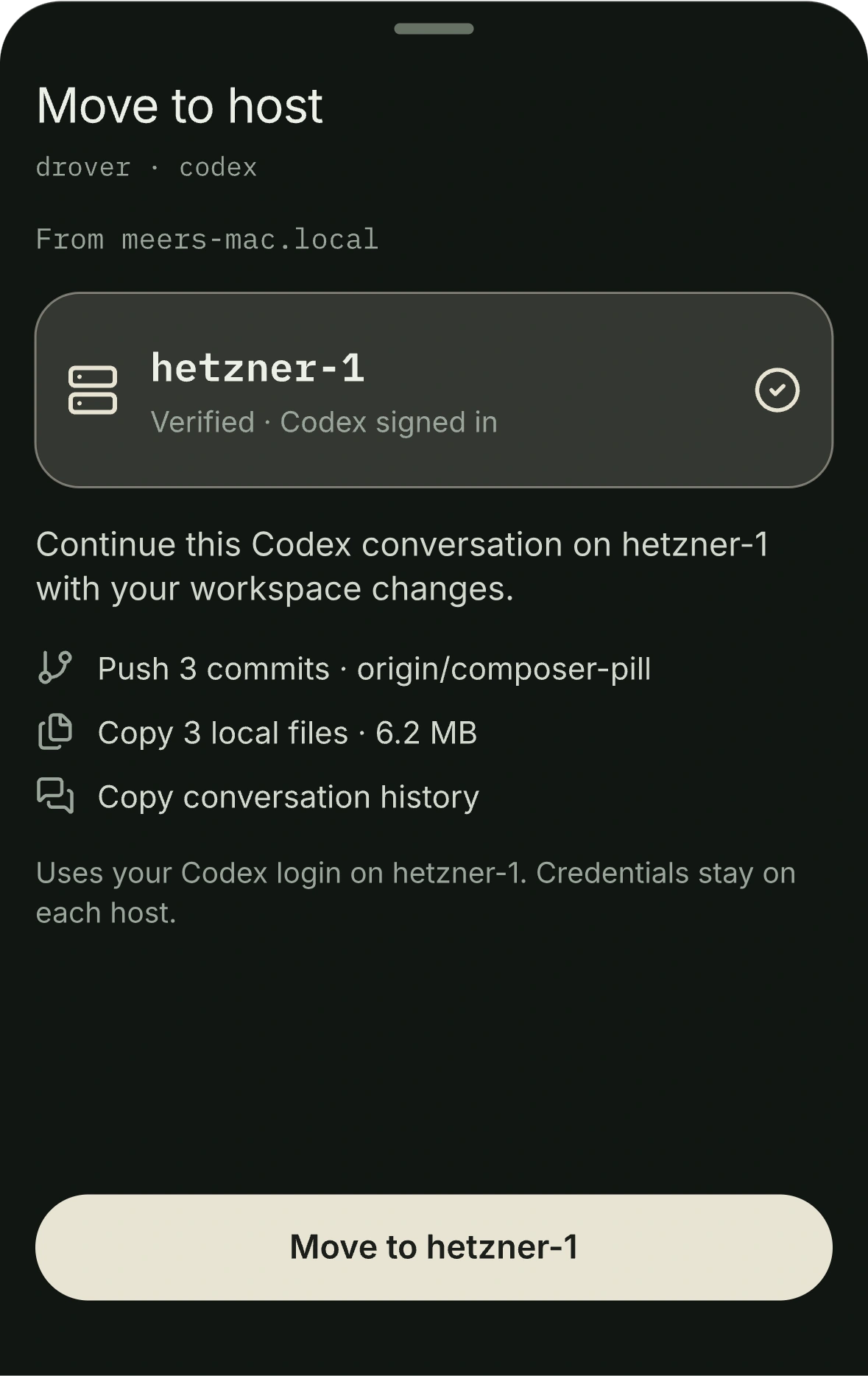
  2. Move to host sheet design preview: destination hetzner-1, with the commits, files, and history that will move

    Move to host Coming soon

    Pick a verified host. See exactly what travels before you confirm.
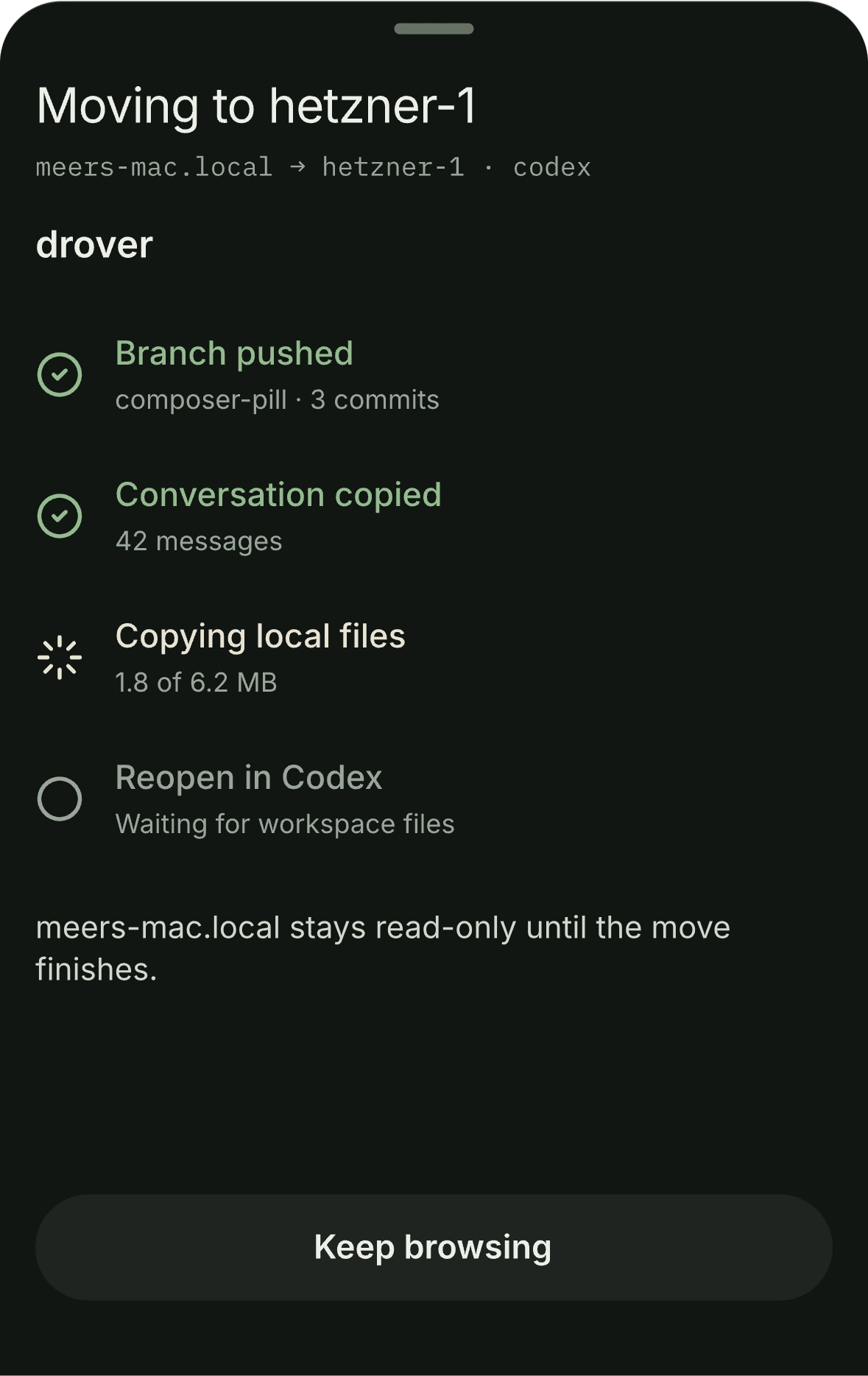
  3. Transfer progress sheet design preview: branch pushed, conversation copied, local files copying

    Watch it land Coming soon

    Each step reports as it completes. The source stays read-only until the move finishes.
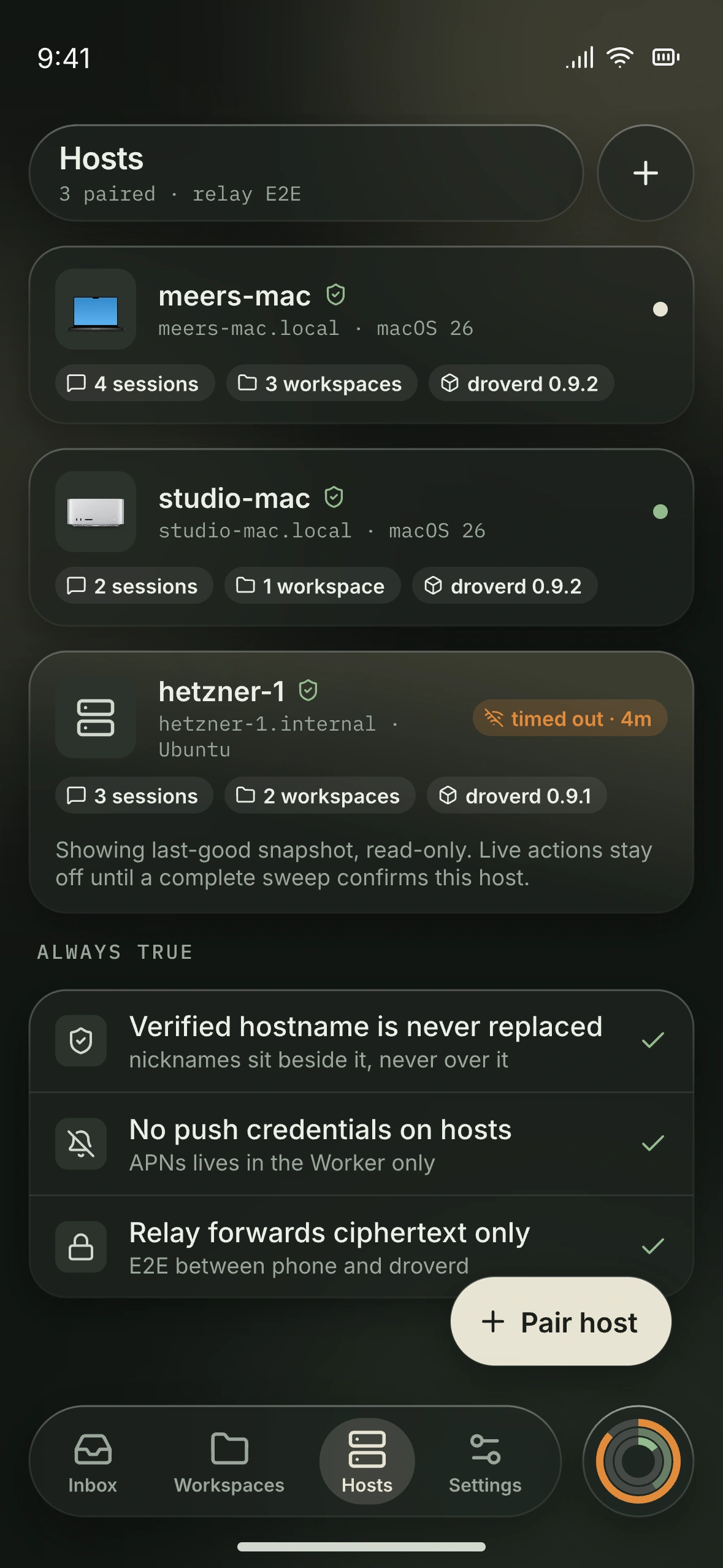
Hosts interface design preview on iPhone, showing paired Mac and Linux machines with verified identities

Your machines.
One familiar place.

A Mac at your desk. A Linux host elsewhere. Find the right machine, see its connection state, and step into the work.

Recognizable
Your verified hostname stays visible.
Connected
Sessions and workspaces stay with their host.
Honest
A disconnected host keeps live actions off.
See the setup

A little context.
A lot of clarity.

Keep account usage close to the work. A quick look at what remains, when limits reset, and which hosts share an account.
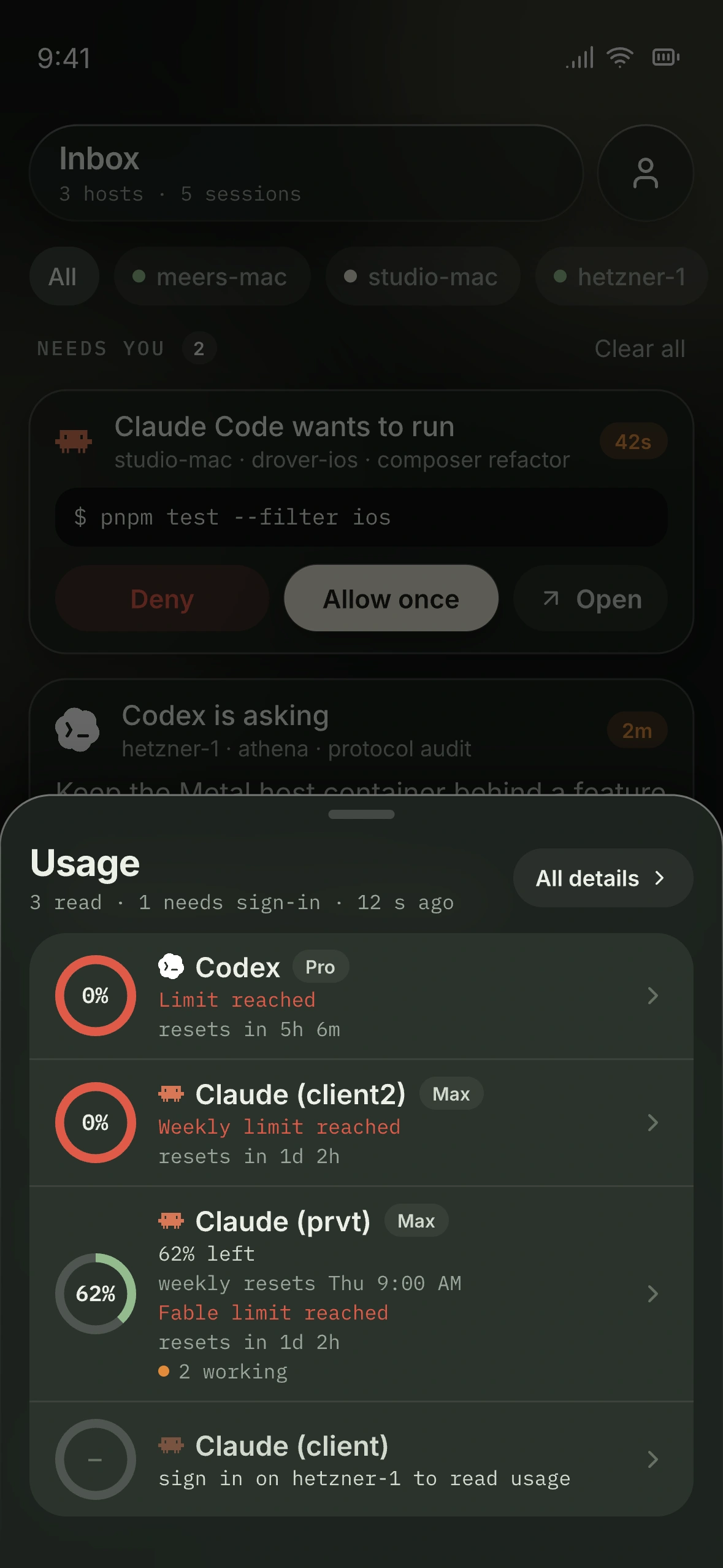
Usage sheet design preview with remaining capacity across Claude and Codex accounts
Quick look · Designed to keep you in context

Herdr stays in charge.

Your code, agents, and terminals stay on your Mac or Linux machine. Herdr owns the runtime. Drover brings its structure to your iPhone.

Explore how Drover works
Your real workspace, all the way down.

Your iPhone reaches droverd directly on your LAN, or through a relay that forwards ciphertext only. droverd is a client of your own Herdr server, which owns everything below.

  1. Hostyour machine
  2. Sessionyour working context
  3. Workspaceyour project
  4. Tabyour layout
  5. Paneyour live terminal

droverd connects your iPhone to your own Herdr server.

Set up the machine
that does the work.

The host companion, droverd, runs beside Herdr on your Mac or Linux machine and connects it to your iPhone.

macOS · Apple silicon

Drover for Mac

A menu bar app with droverd bundled. Signed and notarized, and it updates itself with one click from the menu.

Requires a Mac with Apple silicon and macOS 15 or later.

Get Drover for Mac

Linux · x86_64 · arm64

droverd for Linux

Runs as your user under systemd --user. One command installs it.

curl -fsSL https://newdrover.com/install.sh | sh
Manual install steps

Close to the work.
Clear on the boundaries.

Your machine is the source of truth.
No cloud workspace to rebuild. A small host companion connects to the setup you already own.
The next move is yours.
Read the context. Choose the input. Nothing is inferred from terminal text, and nothing auto-approves.
Disconnected means disconnected.
No offline input queue. No silent retries. Reconnect before sending the next action.
Private from end to end.
Connect directly when possible. When a relay is needed, terminal content remains encrypted. Read the security model

Keep your agents
within reach.

Get installation access, compatibility notes, and meaningful launch updates.

Public beta in development · iPhone with iOS 18 or later

Beta access, installation news, and important product updates only.